Article
Do you need Service Worker in your web app?
People discussing modern javascript frameworks here and there, absolutely not paying enough attention to the technologies, which have direct and major impact on their customers’ experience.
One of this technologies is Service Workers.
What is Service Worker?
I’ll use a definition which is given on Mozilla Developer Network page:
A service worker is an event-driven worker registered against an origin and a path. It takes the form of a JavaScript file that can control the web page/site it is associated with, intercepting and modifying navigation and resource requests, and caching resources in a very granular fashion to give you complete control over how your app behaves in certain situations (the most obvious one being when the network is not available.)
Sounds a bit cryptic, isn’t it? There’s another definition right above which makes everything clear right away:
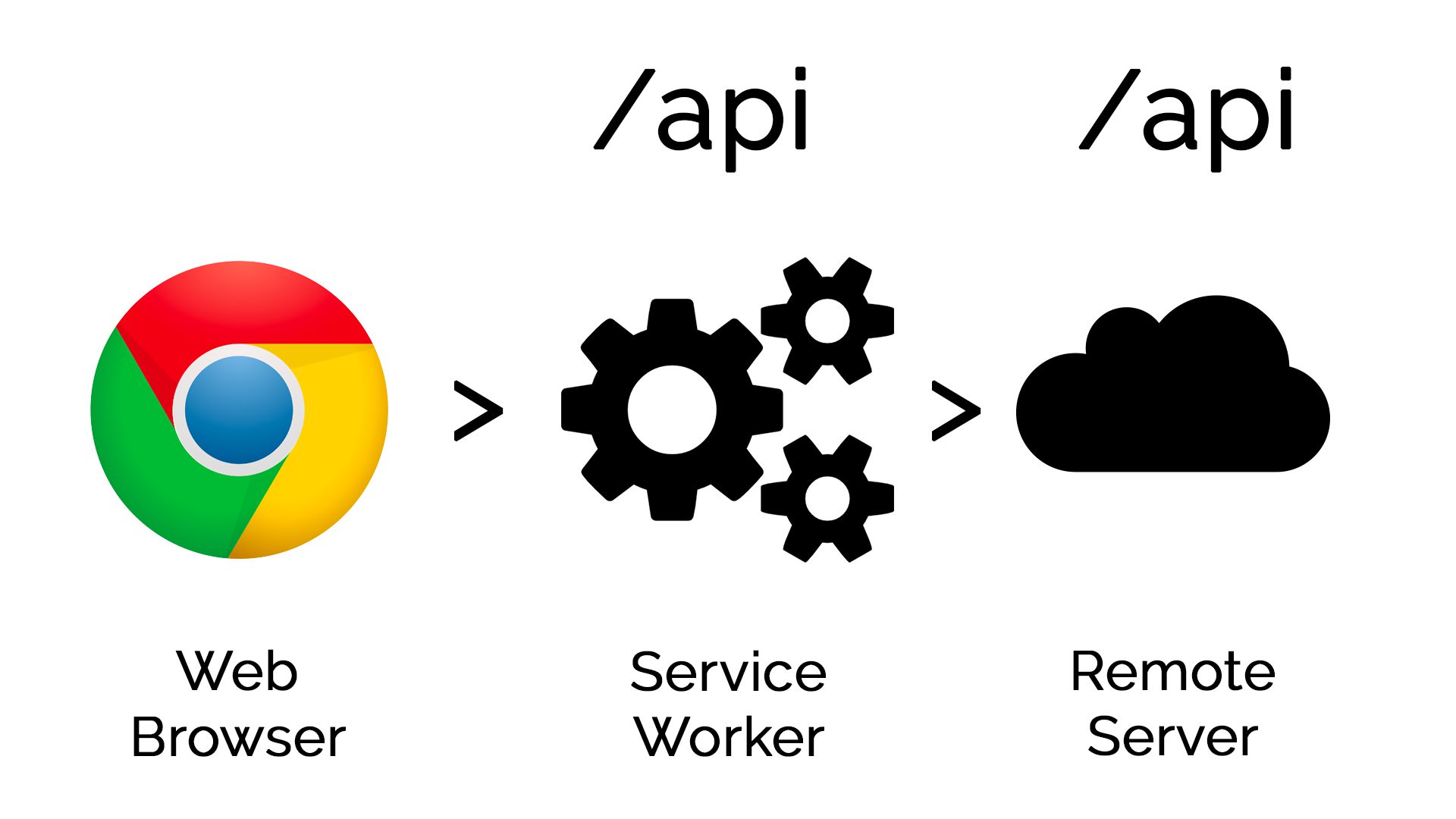
Service workers essentially act as proxy servers that sit between web applications, and the browser and network (when available). They are intended to (amongst other things) enable the creation of effective offline experiences, intercepting network requests and taking appropriate action based on whether the network is available and updated assets reside on the server. They will also allow access to push notifications and background sync APIs.
That’s it! Now everything’s much more clear, Service Worker is something which allows us to:
- create a proxy layer between our browser and web server
- send push notifications
- do some background tasks (mostly, preloading/refreshing various stuff user might require or just perform update of already displayed stuff)
Last two things are possible because Service Worker is not operating in the context of the page. So it can be active even if website’s page is closed.
There’re some limitations:
- Not all of the browsers support Service Worker, it’s only supported by modern versions of Firefox, Chrome and Opera, while Microsoft Edge and Safari are currently only planning to introduce support in the nearest future
- Service Worker requires HTTPS connection — as it operates as a proxy, you’re for sure don’t want to have this proxy being installed by man-in-the-middle
- You cannot manipulate DOM from Service Worker, it’s not designed for that (remember that Service Worker is not operating in the context of the page). Although, you can use postMessage to communicate with page directly
Use cases for Service Worker
Based on features Service Workers provide, you can use them for:
- Caching assets and api calls — Service Workers can be used for both cases, while it’s understandable that caching api calls is beneficial for caching server response effectively offloading servers and providing offline experience to customers, assets caching is also beneficial — remember that browser caching is still relying on making request to the CDN to ensure that it doesn’t have newer version of asset, so you can reduce amount of requests needed to build the page dramatically. There’s an article comparing performance of default browser caching mechanisms vs Service Worker caching on Google Developer portal.
- Push Notifications
- Background data sync/preload — you can allow your customers to preload and cache data they might need in the nearest future, which is beneficial not only to provide smoother user experience for switching between pages, but also contributes to the great offline experience with your app. With this feature, you can also allow customers to save forms and send them to your server once they will be online again.
- Providing support for the stuff unsupported by default in browser — e. g. this might be exotic image format or you can teach browser understanding assets diffs your server might be sending (you might want, for example, in case of your javascript file updated, send only delta between customers’ version and the new one, reducing amount of bytes he/she needs to download)
Service Workers are a key technology in implementing Progressive Web Apps.
Real world usage of Service Workers
Do the features Service Workers bring beneficial for customers? Here’re examples of some adopters (they all mentioned in Case Studies section on Google Developer portal):
- Flipkart, India’s largest e-commerce web site, increased mobile-customers conversion by 70% and tripled time-on-site
- Housing.com increases conversions and lowers bounce rate by 40% with new PWA
- AliExpress increases conversion rate for new users by 104% with new Progressive Web App
- United eXtra Electronics grows eCommerce sales by 100% with Web Push Notifications
Some learnings from these case studies:
- In majority of cases, Web Push Notifications increased re-engagement of users
- Offline-optimized experience allows customers to still review their order and still finish it even if connection became unusable or disappeared at all (by providing a number call and allowing to access a cart to reassure missing articles from session)
- In nearly all of the case studies, performance contribution mentioned as a driver, although there’s no concrete numbers
So do I need to use Service Worker for my web app?
Taking in account everything mentioned above, you probably should give Service Workers a try, they’re a huge benefit for your customers and the process of introducing them to your project will surprise you (it is easy and straightforward).
Another big question is whether you should use them for desktop web apps. You might be assuming that desktop connection is always guaranteed to be good and fast.
Apparently, it’s not true. You might be providing desktop web app experience for tablet users and… bam! 42% of your customers might be using tablets. And yes, they will have the same connection downsides as mobile phones. Also, according to Shipment forecast of laptops, desktop PCs and tablets worldwide from 2010 to 2019 (in million units), desktops are the minority of newly shipped units, this effectively reduces the probability of having speedy wired connection. Laptop users might be using public low-quality WiFi or the same connection as mobile phone.
So, optimizing for low/no connectivity still matters.
Huge media websites are already providing notifications for desktop users as well as mobile users to effectively re-engage their visitors.
Do you want to lose these customers and opportunities?
Service Workers are the future.
Useful articles on Service Workers
I really enjoyed reading these articles about creating Progressive Web Apps and Service Worker in general:
Progressive Web Apps with React.js by Addy Osmani, Staff Engineer at Google:
- Progressive Web Apps with React.js: Part I — Introduction
- Progressive Web Apps with React.js: Part 2 — Page Load Performance
- Progressive Web Apps with React.js: Part 3 — Offline support and network resilience